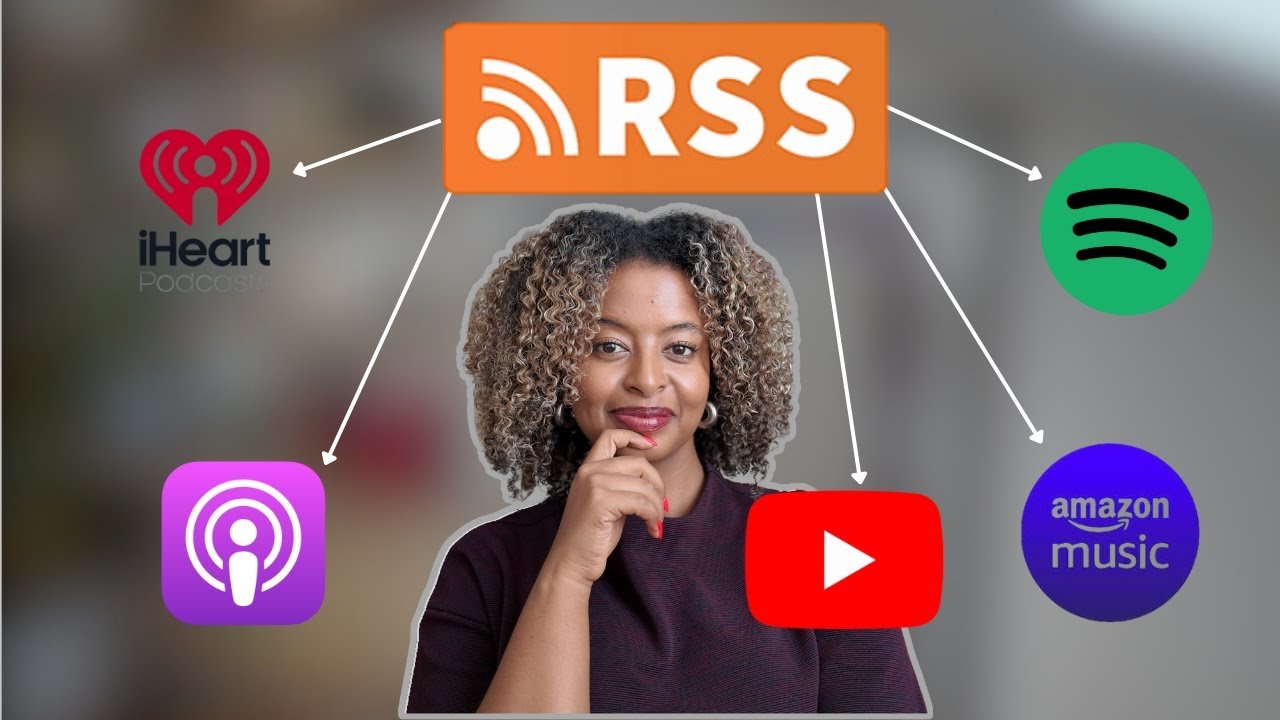
If you’ve ever wondered what is a podcast RSS feed, you’re in the right place. A podcast RSS feed is a simple digital file that helps your podcast show up in apps like Spotify, Apple Podcasts, and Google Podcasts. Think of it like a mailbox for your podcast. Every time you publish a new episode, the RSS feed sends it to all your listeners automatically.
An RSS feed is not just for podcasts. It is also used for blogs and news websites. But in podcasting, it’s the main way your episodes reach listeners. Without an RSS feed, your podcast cannot be found or played in podcast apps. That is why it’s one of the most important parts of starting a podcast.
What Is a Podcast RSS Feed?
A podcast RSS feed is a special link that contains your podcast details. It holds information like your podcast title, description, cover image, and episode list. Every time you add a new episode, your RSS feed updates automatically. Podcast apps use this feed to show your latest episodes to listeners.
In simple words, an RSS feed is like a digital folder that stores your podcast content. Your listeners don’t need to check your website. The feed does the work for them. When they subscribe, the podcast app reads the RSS feed and downloads new episodes for them. This makes listening easy and automatic.
How Does a Podcast RSS Feed Work?
A podcast RSS feed works like a news ticker. It keeps updating with new episodes. Podcast apps check the RSS feed regularly. When they see a new episode, they show it in the app. Listeners then receive the new episode in their podcast library.
The RSS feed is created by your podcast host. The host automatically generates the RSS file. You just upload your audio and write your episode details. The host updates the feed. So, you only need to focus on recording and publishing.
Why Does a Podcast Need an RSS Feed?
Your podcast needs an RSS feed because it is the bridge between you and your listeners. Without it, podcast apps cannot find or display your episodes. Your RSS feed acts like a signal that tells apps when you release new content.
Also, RSS feeds help you grow your audience. When listeners subscribe, they automatically get updates. This means more listeners will stay engaged and return for new episodes. RSS feeds also make your podcast searchable in major platforms.
Podcast RSS Feed vs Website Feed
A podcast RSS feed is different from a website RSS feed. A website feed is used for blog posts or news updates. A podcast RSS feed includes audio files and episode details. Podcast feeds also follow specific rules set by platforms like Apple Podcasts.
A website feed is mainly text-based. A podcast RSS feed must include audio file links and metadata. This is why podcast hosting services are best for creating and managing podcast RSS feeds.
How to Create a Podcast RSS Feed
Creating a podcast RSS feed is easy. Most podcast hosting platforms generate it automatically. You just need to:
- Choose a podcast host (like Buzzsprout or Podbean).
- Upload your podcast cover art.
- Add your podcast title and description.
- Upload your first episode.
- Copy the RSS feed link from the dashboard.
Once your feed is ready, you can submit it to podcast directories like Apple Podcasts and Spotify. That’s it!
How to Submit Your RSS Feed to Podcast Apps
After creating your RSS feed, you need to submit it to platforms. Here’s how:
- Apple Podcasts: Paste the RSS feed link in Apple Podcasts Connect.
- Spotify: Use Spotify for Podcasters to submit the feed.
- Google Podcasts: Submit the feed in Google Podcasts Manager.
Once approved, your podcast will appear on these platforms. This is how listeners discover your show.
How to Find Your Podcast RSS Feed
You can find your RSS feed in your podcast hosting dashboard. It is usually labeled as RSS Feed, Feed URL, or Podcast Feed. You can copy this link and paste it into podcast directories.
If you use a free hosting service, the RSS feed is still available. Just make sure it is correctly formatted and updated with your latest episodes.
Common RSS Feed Errors and Fixes
Sometimes, RSS feeds can cause errors. Here are some common issues:
- Invalid XML: Your feed must be in proper XML format.
- Missing artwork: Podcast apps may reject your feed if cover art is missing.
- Wrong audio file format: Use MP3 or AAC format for best results.
- Wrong episode length: Some platforms require a minimum duration.
To fix these, check your hosting dashboard. Most hosts automatically validate your feed and warn you about errors.
Podcast RSS Feed Best Practices
To keep your RSS feed healthy, follow these tips:
- Use clear titles and descriptions.
- Add proper episode tags and categories.
- Upload high-quality audio.
- Keep consistent publishing schedule.
- Use clean and correct artwork.
These steps help your podcast appear professional and trustworthy. Podcast apps also prefer clean feeds, which improves your visibility.
RSS Feed and Podcast Hosting
Your podcast host is the main place where your RSS feed lives. The host stores your audio files and creates the feed. So, choosing the right host is important. Some hosts also offer analytics and marketing tools.
A good host ensures your feed is stable and always working. This keeps your listeners happy and helps your podcast grow faster.
RSS Feed Privacy & Security
Podcast RSS feeds are public. Anyone can access them if they have the link. This is normal and how podcast platforms work. However, you should avoid sharing personal or sensitive info in your feed.
If you want a private podcast, some hosting platforms offer password-protected feeds. This is useful for exclusive content or paid subscribers.
FAQs
Q1: What is a podcast RSS feed used for?
A podcast RSS feed is used to deliver new episodes to listeners automatically. It helps podcast apps show your latest content.
Q2: Can I make a podcast without an RSS feed?
No. An RSS feed is required for podcast apps to access and display your episodes.
Q3: Where can I find my RSS feed?
You can find it in your podcast hosting dashboard under “RSS Feed” or “Feed URL.”
Q4: How do I fix RSS feed errors?
Check your feed format, artwork, audio file, and episode details. Most hosts offer validation tools.
Q5: Is RSS feed the same as podcast hosting?
No. Hosting stores your audio files, while the RSS feed is a link that shares your episodes.
Q6: Can I share my RSS feed on social media?
Yes! Sharing your RSS feed link helps people subscribe using their favorite podcast apps.
Conclusion
A podcast RSS feed is the backbone of your podcast. It delivers your episodes to listeners and helps your show grow. Once you understand what is a podcast RSS feed, creating and managing one becomes easy.
If you are starting a podcast, focus on clean feed setup, consistent publishing, and great audio. Want help creating your podcast RSS feed or submitting it to platforms? Just ask, and I’ll guide you step-by-step.